
Source CMS Ecommerce with .NET Core + API
Got it — here’s a clean, SEO-ready write-up for your .NET Core E-Commerce CMS, using your exact specs (WordPress/Woo-inspired menus & settings, Bootstrap UI, Razor admin, API frontend with Angular by default and optional React, ASP.NET Core Identity ...
- LTR
- Last updated 10/2025
- English
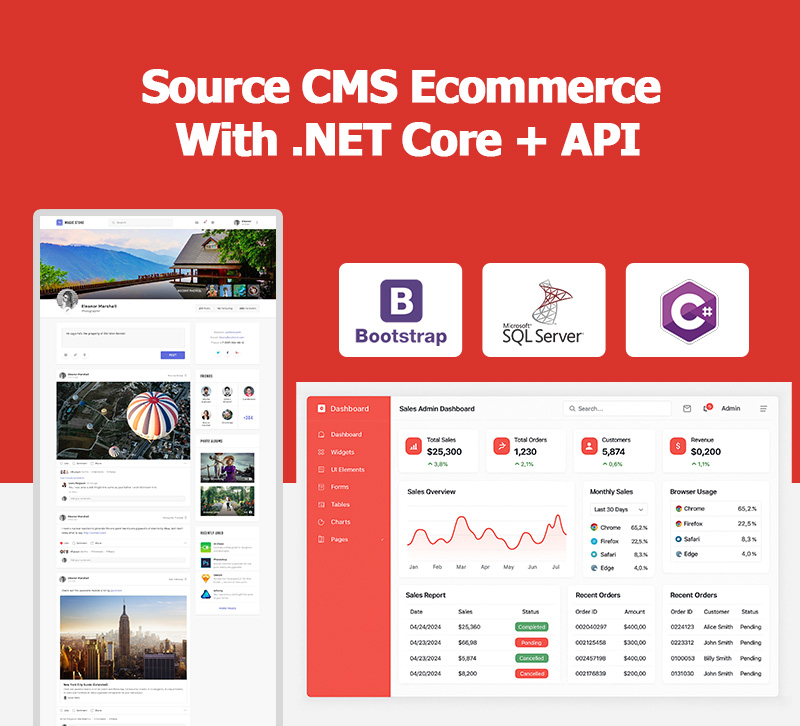
Powered by +7 Leading Technologies







Source CMS Ecommerce with .NET Core + API
Got it — here’s a clean, SEO-ready write-up for your .NET Core E-Commerce CMS, using your exact specs (WordPress/Woo-inspired menus & settings, Bootstrap UI, Razor admin, API frontend with Angular by default and optional React, ASP.NET Core Identity with pro roles/permissions, login via mobile number and Google, extensible auth).
.NET Core E-Commerce CMS — API-First with Razor Admin & Bootstrap UI
A modern, modular e-commerce CMS built on .NET Core. The admin panel is implemented with Razor for speed and reliability, while the customer-facing experience is powered by an API. We ship a default Angular frontend (consuming the API) and keep the architecture open so you can swap or extend the storefront with React. The UI across admin and default storefront is styled with Bootstrap, ensuring responsive, consistent, and accessible design.
Why It Works (WordPress/WooCommerce-Inspired UX, Enterprise Foundations)
We intentionally mirror familiar patterns from WordPress & WooCommerce—especially in menus and settings—so teams feel at home on day one. Under the hood, you get .NET Core performance, structured modules, and clean separation of concerns (Admin ⇄ API ⇄ Frontend). Result: fast onboarding for editors, and predictable, scalable foundations for developers.
Architecture & Core Features
Five-Layer Architecture
The solution is structured around a clean five-layer architecture, ensuring separation of concerns and maintainability:
EkadCo.Common
- Contains shared utilities and helpers used across the system.
- Includes extension methods, constants, enums, and common classes.
- Goal: reduce code duplication and provide a solid base for other layers.
EkadCo.DataLayer
- Responsible for database communication.
- Contains repositories, DbContext (Entity Framework Core or similar ORM), and migration scripts.
- Reads and writes data between the system and the database.
- Example:
ProductRepository,OrderRepository.
EkadCo.Entities
- Defines domain models and entities that represent database tables.
- Examples:
Product,Order,Customer,Category. - Pure data layer: only defines properties and relationships, without business logic.
EkadCo.LoConfig
- Handles application configuration and dependency injection.
- Includes appsettings, service registration, and module configurations.
- Connects services such as Identity, JWT, Email, SMS, and Payment gateways.
EkadCo.Mapping
- Manages object mappings between Entities and DTOs/ViewModels.
- Implemented with AutoMapper profiles.
- Example:
ProductEntity → ProductDto → ProductViewModel. - Ensures only required data is exposed to UI or APIs.
EkadCo.Services
- The business logic layer of the system.
- Implements all core application rules.
- Services include:
ProductService– manage products, features, galleryOrderService– handle carts and ordersCouponService– discount and promotion logicUserService– user and role management
- Pulls data from repositories, applies business rules, and sends clean output to APIs/UI.
EkadCo.ViewModels
- Holds DTOs and ViewModels for API responses and Razor admin views.
- Example:
ProductDetailsViewModel = Product + Gallery + Attributes. - Optimizes data transfer, improves performance, and adds security by controlling exposed fields.
EkadCo.Web
- The presentation layer.
- Includes:
- Razor-based Admin Panel for store management
- API Controllers powering Angular (default) or React (optional) storefronts
- Middlewares for logging, security, and error handling
- Directly interacts with end users (admins and customers).
With this structure, the system achieves:
A professional enterprise-grade architecture inspired by best practices.
Separation of concerns
Maintainability and scalability
Testability and easier extensions
This modular design makes the system easy to extend, test, and maintain.
WordPress/WooCommerce-Inspired Settings
The CMS includes menus and settings inspired by WordPress & WooCommerce. This means store owners and admins get a familiar environment:
- General settings, currencies, taxes
- Payment and shipping settings
- Product settings, attributes, and categories
- Notifications, email templates, user roles
- Appearance and menus management
Product Types & Features
Following WooCommerce conventions, the system supports multiple product types:
- Simple Products (basic items with fixed price)
- Variable Products (attributes such as size, color, etc.)
- Downloadable Products (digital files)
Each product can have:
- Attributes & Features (e.g., weight, size, color, custom fields)
- Image Gallery (multiple product images)
- Categories & Tags for better organization
- Pricing & Stock options
Additional Capabilities
- Multilingual-ready: settings structured for i18n & RTL support
- User Roles & Permissions: powered by ASP.NET Identity
- Notifications & Coupons: integrated as modules
- API-first Storefront: Angular default, React optional
- Bootstrap UI: consistent and responsive across admin and storefront
Architecture Overview
Admin Panel (Razor)
- Built with ASP.NET Core Razor (no SPA overhead in admin).
- Bootstrap for forms, tables, modals, toasts, and layout.
- Server-rendered pages for snappy, secure back-office workflows.
API Layer (Headless-ready)
- RESTful API exposes products, categories, carts, orders, customers, coupons, content.
- Versioned endpoints; predictable, documented responses.
- Consumed by our default Angular storefront; React (or other) can be added without changing admin.
Storefronts (Angular by default, React optional)
- Angular storefront consumes the API.
- SEO-ready patterns (support for server-side rendering via Angular Universal); if you prefer React, you can build a Next.js storefront against the same API.
Design System (Bootstrap)
- Single, consistent Bootstrap design language for admin and default storefront.
- Mobile-first responsive grid, utilities, and components.
- Accessibility baked in (focus states, color contrast, ARIA patterns).
Menus & Settings (WordPress/Woo-Inspired)
A familiar, logical admin sidebar that mirrors the best of WordPress/WooCommerce:
- Dashboard (sales snapshot, orders, products, KPIs)
- Products (catalog, variants/options, inventory, attributes)
- Categories & Collections
- Orders (statuses, refunds, timeline)
- Customers (profiles, addresses, segments)
- Coupons & Promotions (rules, limits, eligibility)
- Content (pages, blocks/sections, media library)
- Menus (navigations, mega menu structures)
- Appearance (theme presets for the default frontend)
- Settings
- General (store name, locale, currencies, tax, shipping regions)
- Payments (gateways, keys, webhooks)
- Emails/Notifications (templates, triggers)
- Localization (languages, translations, RTL)
- Integrations (analytics, tag managers, external services)
- Users & Roles (permissions, access policies)
- System (logs, health, backups, maintenance mode)
This layout reduces training time and speeds up daily operations.
Accounts, Identity & Access Control
ASP.NET Core Identity
- Built on ASP.NET Core Identity for robust authentication and user management.
Roles & Permissions (Professional-Grade)
- Roles (e.g., Super Admin, Admin, Catalog Manager, Order Manager, Marketer, Support, Viewer).
- Granular permissions mapped to modules (Products, Orders, Coupons, Content, Settings, Users).
- Policy-based authorization so you can fine-tune access at feature or action level.
Login & Registration Options
- Mobile number sign-in (OTP/verification flow).
- Google sign-in (OAuth2).
- Extensible providers: clean hooks to add Apple, Microsoft, Facebook, passwordless, or SSO later.
- Optional 2FA and security policies (password rules, lockout thresholds).
Catalog, Orders & Coupons (High-Level Capabilities)
- Catalog: products, variants, pricing, inventory, categories, attributes.
- Orders: carts, checkout, payment flow, order lifecycle, refunds.
- Coupons & Promotions: percentage/fixed discounts, min spend, product/category inclusion, usage limits, schedule windows.
The Coupons module also powers campaign landing pages in the default frontend (via API), and templates are ready to highlight code, discount, terms, and countdowns.
Content & Menus (CMS Layer)
- Pages & Blocks/Sections to tell your brand story and build landing pages.
- Media library with metadata (alt text, captions) for SEO and accessibility.
- Menu builder supports multi-level navigations and footers; API delivers menus to any frontend.
Notifications & Emails
- Admin and storefront patterns aligned with Bootstrap toasts/banners/modals.
- Email templates configurable in Settings (order confirmed, shipped, reset password, etc.).
- Webhook/queue friendly so you can plug external mail providers or event pipelines.
Localization, Currency & RTL
- Multi-language ready; strings structured for translation.
- Multi-currency and locale settings in Settings → General.
- RTL styles supported via Bootstrap utilities + small overrides.
Security, Stability & Maintainability
- Identity + policy-based auth for tight control.
- Clean separation: Razor Admin ⇄ API ⇄ Storefront (Angular/React).
- Update resilience: versioned API and modular features reduce breaking changes; admin uses server-rendered Razor to minimize client-side regressions.
- Logging & health checks patterns ready for production.
Performance & SEO (for API Storefronts)
- Default Angular storefront tuned for Core Web Vitals; SSR (Angular Universal) recommended for crawlable SEO.
- If building with React, Next.js SSR/ISR patterns map 1:1 to the API.
- Caching headers, CDN-friendly responses, and image optimization guidelines included.
Developer Experience & Extensibility
- Modular solution structure (domain/application/infrastructure/api) for clean boundaries.
- Bootstrap as the shared UI language; component tokens can be themed.
- Clear extension points to add: new payment providers, shipping calculators, search backends, auth providers, webhooks.
Summary (What You Get)
- Razor-based admin that’s fast, secure, and familiar (WordPress/Woo-like menus & settings).
- API-first core powering a default Angular storefront; React (or others) can be plugged in at any time.
- Bootstrap UI for consistent, responsive design across admin and storefront.
- ASP.NET Core Identity with professional roles/permissions, plus login via mobile number and Google; easy to add more providers.
- A practical, scalable alternative that blends the familiarity of WordPress/WooCommerce with the performance and structure of .NET Core.
| Admin Panel Technology | Bootstrap UI, Razor Pages |
|---|---|
| Database Server Compatibility | SQL Server 2019, SQL Server 2022 |
| Documentation Included | API Docs, PDF Guide, Yes |
| Framework / Technology | .NET Core, Bootstrap, Razor |
| Frontend Options | Angular, API-First, React, Vue.js |
| Full Source Code | Yes |
| Features | Advanced Theme Options, Ajax, Blog, Drag and Drop Content, Dropdown Menu, Gallery, Google map, HTML 5, JQuery, Light Template, Search Engine Friendly, Single Product |
| Extensibility | API Extendable |
| License Type | White Label |
| Web Server Compatibility | IIS 10 |
| Version Compatibility | .NET 8 |
Reviews
There are no reviews yet.
- Full Source Code
- Yes
- Extensibility
- API Extendable
- License Type
- White Label
- Web Server Compatibility
- IIS 10
- Version Compatibility
- .NET 8
Frequently Asked Questions about the .NET Core E-Commerce CMS
Unlike most CMS solutions, it combines a Razor-based admin panel with an API-first architecture. You get WordPress/WooCommerce-inspired menus for familiarity, Bootstrap for responsive UI, and the power of .NET Core for performance and scalability.
The solution follows a clean multi-layer architecture (Common, DataLayer, Entities, LoConfig, Mapping, Services, ViewModels, Web). This separation of concerns ensures modularity, testability, and easy extension while keeping the codebase enterprise-ready.
By default, the CMS ships with an Angular storefront consuming the API. React (e.g., Next.js) can be used as an alternative frontend without changing the admin or backend, thanks to the headless, API-first design.
Built on ASP.NET Core Identity, it supports roles and granular permissions (e.g., Admin, Catalog Manager, Order Manager). Login options include mobile number with OTP, Google sign-in, and extensible providers like Apple, Microsoft, or SSO.
The CMS supports simple, variable, and downloadable products, categories, attributes, coupons, promotions, orders, carts, and notifications. It also includes multilingual support, RTL styles, SEO-ready APIs, and Bootstrap-based UI for consistency.
Customer Journey After Purchase – Product
Access Your Customer Account Panel
After purchase, log in to your customer account panel to download product files, documentation, and training materials needed to get started.
Follow the Installation Guide
Use the official installation guide to complete the server setup and configure the system according to your hosting environment.
Start Using the Product
Once installed, explore features, manage settings, and begin customizing your store or website with the provided tools.
Request Technical Support if Needed
If you face any challenges during installation or usage, submit a ticket to our technical support team for assistance.
Support Period, Updates & Maintenance
Your support period starts from the date of purchase. During this time, you’ll receive regular updates, bug fixes, and maintenance support to keep your system running smoothly.
Reviews
There are no reviews yet.